Picture this. A critical server goes down at 2 PM on a Tuesday. Your network monitoring software starts flashing red. Your infrastructure team drops everything to check server logs. Your service desk is simultaneously flooded with identical tickets from frustrated users.
To figure out what actually went wrong, your team opens four browser tabs, logs into three separate vendor systems, and manually pieces together a timeline that should have been automatic. By the time they identify the root cause, two hours have passed, productivity has tanked, and your Mean Time to Resolution is through the roof.
This is not a people problem. It is a tool problem, and a unified IT management platform is the fix your operations team has been waiting for.
The Hidden Costs of Fragmented IT Management
Most IT leaders know their tool stack is too big. What they underestimate is how much that fragmentation is costing them not just in licensing fees, but in time, accuracy, and team morale.
When your network performance monitoring, application monitoring, and IT service management software operate as separate applications with separate databases, they cannot share context in real time. Every domain sees a different slice of the same problem. Nobody sees the whole picture.
IT Alert Fatigue: When Everything Screams, Nothing Gets Heard
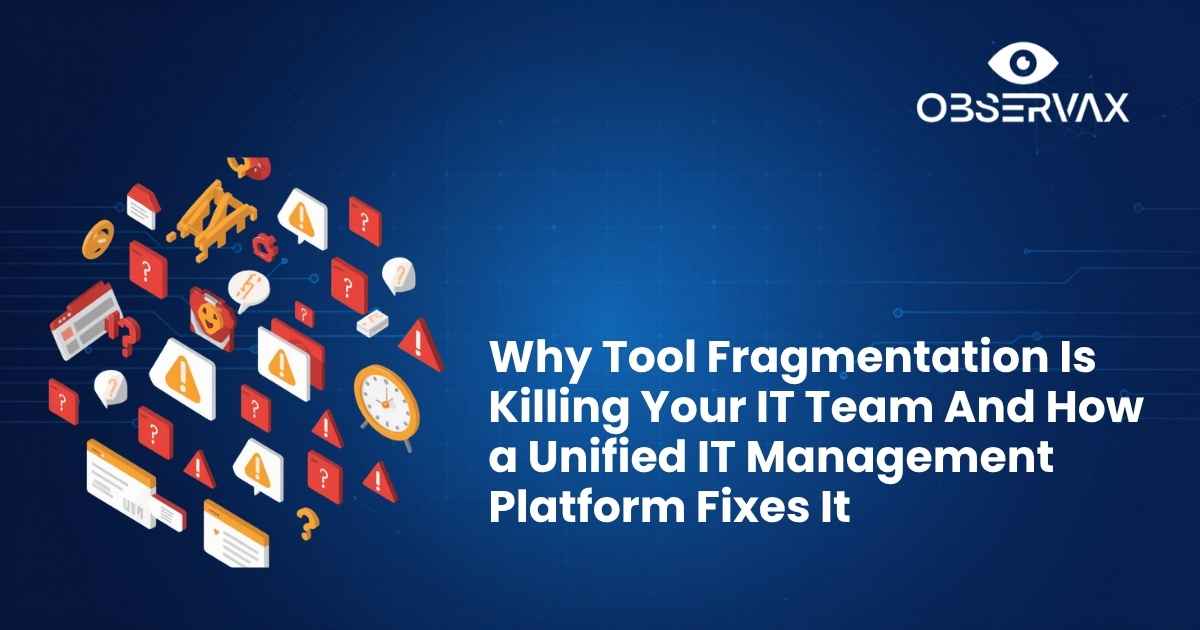
IT alert fatigue is one of the most damaging and most underreported, consequences of fragmented tooling. When your NOC team receives hundreds of disconnected alerts from five different dashboards, critical warnings get lost in the noise. Engineers start ignoring alerts not because they are careless, but because experience has taught them that most alerts are either duplicates, false positives, or symptoms of a problem already being handled somewhere else.
The result is a dangerous desensitization. Teams miss the one alert that matters because it looks identical to the fifty that did not.
What Fragmented Tools Do to Your MTTR
Mean Time to Resolution (MTTR) is the clearest measure of how efficiently your IT team handles incidents. And nothing inflates MTTR faster than siloed tools.
When an alert fires, a fragmented environment forces your team to:
- Manually correlate alerts across multiple monitoring platforms
- Cross-reference asset records from a separate IT inventory management system
- Check a third system to understand which services or users are affected
- Raise a ticket in a fourth platform — with none of the above context attached
Every manual handoff adds minutes. In a major incident, those minutes become hours. And those hours become the number your CTO reads in the post-mortem report.
Key Takeaway: Gartner estimates the average cost of IT downtime at $5,600 per minute. Every minute your team spends switching dashboards is a minute they are not resolving the incident.
The Asset Visibility Gap Nobody Talks About
There is a blind spot sitting in the middle of most fragmented IT environments and it lives in the asset layer.
When your IT inventory management system is disconnected from your monitoring and ITSM platforms, nobody has a complete picture of what is running, where it is, who owns it, and what it connects to. New cloud resources get provisioned without being added to the asset register. Devices get reassigned without record updates. Shadow IT grows in every corner of the organization.
Why IT Inventory Management Breaks Down in Growing Teams
The problem gets worse as organizations scale. A startup with twenty devices can manage assets in a spreadsheet. An enterprise with five thousand endpoints across hybrid cloud and on-premises environments absolutely cannot.
As infrastructure grows, the gap between what IT teams think they own and what they actually own widens. Software licenses go untracked. Hardware warranty dates lapse unnoticed. Configuration drift goes undetected until an incident exposes it.
The Case for IT Asset Tracking Software in 2026
Searches for IT asset tracking software have surged by 900% in the last three months and the reason is straightforward. IT teams that have lived through one major incident caused by a missing or misconfigured asset do not make that mistake twice.
Modern IT asset tracking software does not just maintain a list of devices. When connected to your broader IT management platform, it:
- Automatically discovers assets across cloud, on-premise, and hybrid environments
- Maintains a live configuration history for every device
- Triggers alerts when assets reach end-of-life or warranty expiry
- Enriches incident tickets with full asset context automatically
That last point is where the real operational value lives and it is only possible when your asset tracking and ITSM platform share the same data layer.
The Service Management Silo Problem
Your ITSM platform is supposed to be the operational backbone of your IT team. In most fragmented environments, it is actually just a ticketing queue, disconnected from the monitoring data and asset context that would make it genuinely useful.
When Your ITSM Platform Lives in a Different World
When an incident fires in your network monitoring software, someone has to manually create a ticket in your IT service management platform. They copy-paste the alert details, add whatever asset context they can find, and assign it to the team they think is responsible, often incorrectly, because the full picture is not visible.
The team that receives the ticket starts their investigation from scratch. They do not have the monitoring context. They do not have the asset history. They do not know what changed in the last 24 hours. They log into the monitoring system, find the alert, go back to the ticket, add notes, and repeat.
This is not IT service management. This is IT service administration: manual, slow, and exhausting.
What a Unified IT Management Platform Actually Looks Like
A unified IT management platform is not a marketing term for a bundle of tools with a shared login page. It is a fundamentally different architecture, one where every operational domain shares a single data layer, so context flows automatically between monitoring, assets, incidents, and governance.
Single Pane of Glass IT — Beyond the Buzzword
A unified, all-in-one IT management platform completely eliminates these operational silos. Instead of trying to force 10 different tools to work together, a unified architecture natively integrates network visibility, infrastructure tracking, asset management, and service desk operations into a single console.
Choosing a unified platform transforms your daily IT operations across three main areas:
- Instant Root-Cause Analysis: When an infrastructure alert fires, your team can immediately see the associated asset history and linked support tickets on the exact same screen. No tab switching, no data delays.
- Zero Integration Headaches: Because the platform is built from the ground up on a single database, updates happen universally. Auto-discovery tools find new devices on your network and instantly populate your asset inventory without requiring manual API configurations.
- Predictable, All-Inclusive Scaling: Say goodbye to complex line-item billing. A modern all-in-one platform offers clean, predictable licensing that grows alongside your infrastructure, without hitting you with surprise module fees.
What Your IT Management Dashboard Should Show You
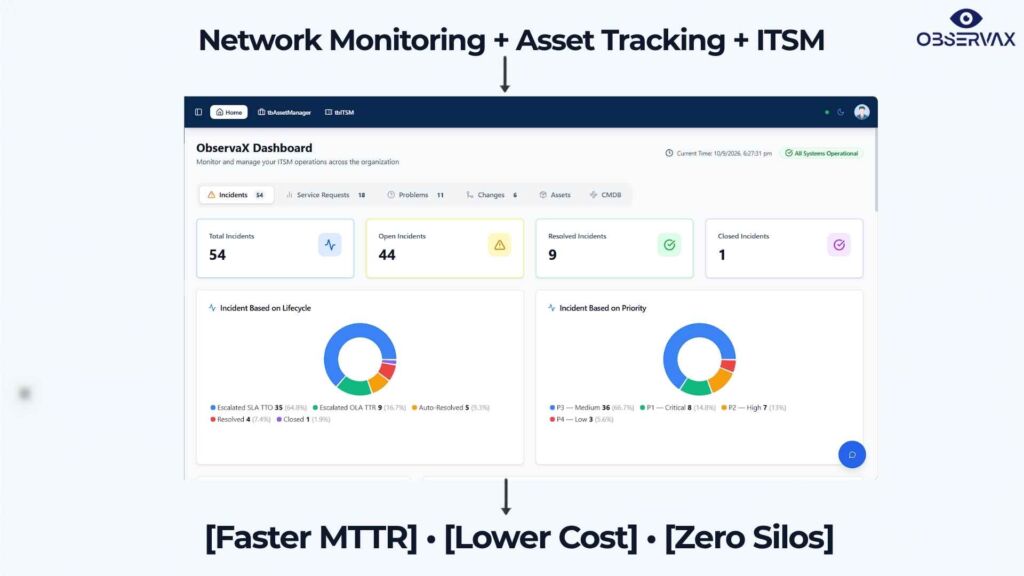
A genuinely useful IT management dashboard does not just show device status. It gives your NOC and IT operations team the operational picture they need to act, not just observe:
- Network health — real-time status across all devices, links, and services
- Asset context — what is affected, who owns it, what changed recently
- Incident status — open tickets, escalation status, SLA risk
- Predictive indicators — what is likely to fail before it does
When all of that lives in one view, your team stops switching tabs and starts resolving incidents.
The Network Monitoring Connection
No unified IT management platform is complete without strong network monitoring software at its foundation. Network monitoring tools are the sensors; they collect the telemetry that feeds everything else.
When your network monitoring software is natively integrated with your ITSM platform, asset management, and SLA governance, a single network event can automatically trigger an enriched incident ticket, identify the affected assets, calculate SLA breach risk, and escalate to the right team; all without a human in the loop.
That is not automation for automation’s sake. That is the difference between a one-hour incident and a five-minute resolution.
How ObservaX Delivers a True Unified IT Management Platform
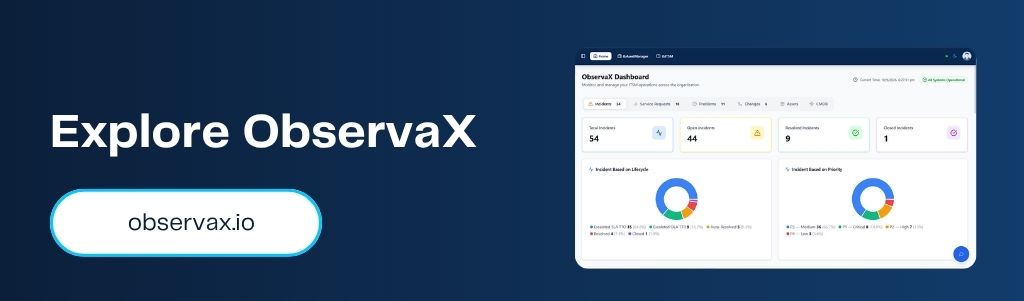
ObservaX is built from the ground up as a unified IT management platform; not a collection of tools patched together, but a single intelligent ecosystem where every module share data and operational context in real time.
The platform brings together:
- tbXMS — Network Monitoring — Real-time visibility across hybrid, multi-vendor environments with AI-driven correlation and predictive analytics
- tbAssetManager — Automated IT asset tracking software with full lifecycle management and CMDB integration
- tbITSM — IT Service Management Software — ITIL v4-aligned incident, problem, and change workflows with automated ticket creation and enrichment
- SLA Manager — Real-time SLA tracking, breach prediction, and automated compliance reporting
- AIOps & Predictive Analytics — AI-driven event correlation, root cause analysis, and forecasting across your entire IT environment
- Proactive Incident Management — Automated detection-to-resolution workflows that cut MTTR and keep teams focused on what matters
Everything is connected. Everything shares context. One IT management dashboard — not five.
Conclusion: Stop Managing Tools. Start Managing Operations.
Tool fragmentation is not an IT problem — it is a business problem. Every disconnected system, every manual handoff, every alert that gets missed because of dashboard overload has a direct cost: longer downtime, slower resolution, higher operational spend, and a team that burns out faster than it should.
The answer is not more tools. It is fewer, better-connected ones.
A unified IT management platform replaces the chaos of five disconnected systems with one intelligent operational picture — where monitoring, assets, incidents, SLA governance, and AI insights all work together from a single data layer.
That is exactly what ObservaX delivers.
Also Read:
IT Asset Management Tools: The Missing Layer in Hybrid Infrastructure
Why Network Monitoring Alone Isn’t Enough: Building a Digital Command Center
AIOps: The Complete Guide to AI for IT Operations in 2026
Network Management System (NMS): The Complete Guide for Modern IT Infrastructure
FAQs: Unified IT Management Platform
What is a unified IT management platform?
A unified IT management platform brings network monitoring, IT asset management, ITSM, SLA governance, and analytics into one ecosystem. A shared database ensures context flows seamlessly across all IT operations.
What is single pane of glass IT?
Single pane of glass IT provides a centralized view of your entire IT environment from one dashboard. It combines monitoring, assets, incidents, and SLA data for faster troubleshooting.
How does a unified IT management platform reduce MTTR?
It connects alerts with asset context, incident workflows, and SLA data automatically. This reduces manual handoffs, speeds up resolution, and helps teams identify and address issues faster.
What is the difference between an ITSM platform and a unified IT management platform?
An ITSM platform focuses on service workflows such as tickets, incidents, and changes. A unified platform combines ITSM with monitoring, asset management, SLA governance, and analytics in one environment.
Why is IT alert fatigue dangerous for IT operations?
Alert fatigue occurs when teams receive too many alerts to process effectively, increasing the risk of missing critical issues. Unified platforms use AI-driven correlation to reduce noise and prioritize meaningful incidents.